Last Updated: June 2026 | ⏱️ Read Time: 5 min read
Sources: Verified industry references (Google, Microsoft, OpenAI)
Why AI Prompting is the Most Valuable Skill in 2026
AI is transforming the way we work, write, and create. However, most people get mediocre, generic results from tools like ChatGPT because they write vague instructions. To unlock the full potential of artificial intelligence, you need to learn exactly how to write prompts for chatgpt like a professional prompt engineer.
Writing a great prompt is not about using complex coding or math. It is about communication. When you know how to write prompts for chatgpt, you can automate your copywriting, generate clean code, write detailed business plans, and save hours of manual work every single day.
What’s more, businesses are actively looking for professionals who can communicate with AI effectively. To help you build high-converting prompts instantly without memorizing templates, you can use our new Free AI Prompt Generator. It is a completely free online utility that structures your prompts automatically using professional frameworks.
How to Write Prompts for ChatGPT: A Step-by-Step System
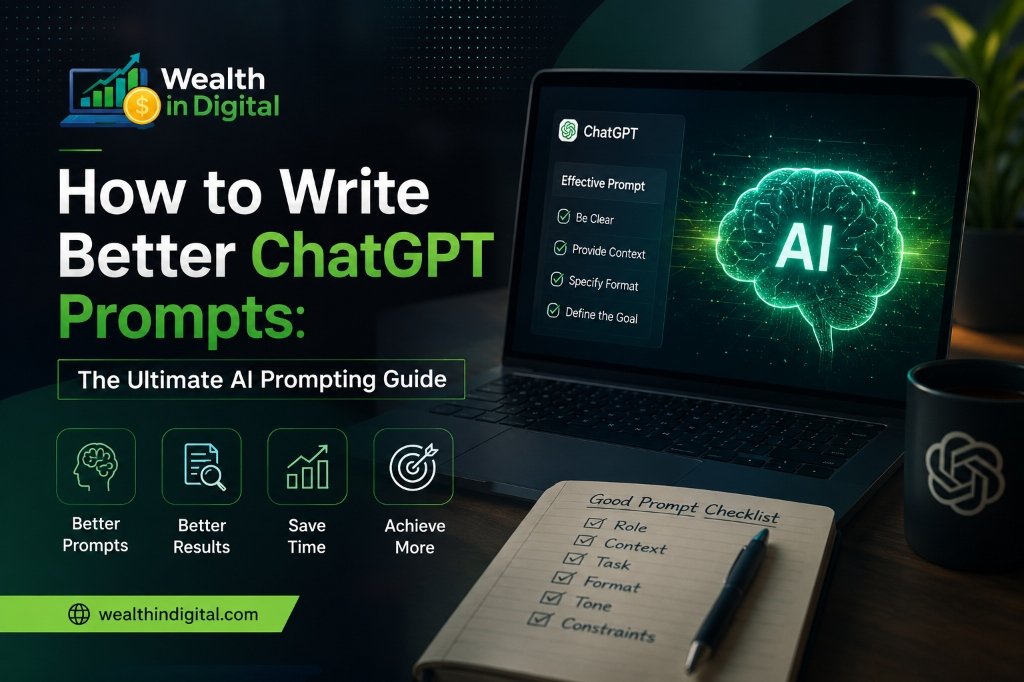
Creating a highly effective prompt is much easier when you follow a structured formula. We can break the system of how to write prompts for chatgpt down into four essential pillars:
- Step 1: Define the Role (Act As): The first step in mastering how to write prompts for chatgpt is defining the AI’s persona. Instruct the AI to act as a specific expert (e.g., “Act as an expert copywriter” or “Act as a senior SEO specialist”) to guide its style.
- Step 2: State the Clear Goal (Task): Be extremely specific about what you want to create. Instead of saying “write about email marketing,” say “write a 3-part email welcome sequence for a digital marketing newsletter.”
- Step 3: Provide Tone and Style Constraints: As you study how to write prompts for chatgpt, you will learn that context is everything. Direct the AI to write in a conversational, professional, or empathetic tone depending on your audience.
- Step 4: Specify the Output Format: Tell the AI exactly how to display the information. You can ask for bullet points, markdown tables, code blocks, or copy-ready templates.
The bottom line is that AI is only as smart as the instructions you give it. This how to write prompts for chatgpt framework acts as a bridge, ensuring you get predictable, high-quality results from your AI conversations every single time.
The Power of Role-Based Prompts (Act As Formula)
When you are learning how to write prompts for chatgpt, the “Act As” command is your secret weapon. By default, ChatGPT tries to give a general, safe, and slightly generic answer. When you assign it a specific role, you force the AI to draw from a specialized subset of its training data.
First, think of the expertise you need. If you want a recipe, tell the AI to act as a Michelin-star chef. If you want a sales page, tell it to act as a direct-response copywriter. This simple adjustment changes the vocabulary, structure, and depth of the output immediately.
Second, provide background details. Tell the AI who its audience is. For example, “Your audience is small business owners who are struggling with financial overwhelm.” This helps the AI write copy that resonates on an emotional level.
How to Customize Prompts for Midjourney Art
While text prompts are crucial for business, visual prompting is another high-demand skill. Midjourney operates on a different set of rules compared to ChatGPT. Instead of conversational instructions, it requires descriptive styles, camera parameters, and aspect ratios.
When creating image prompts, start with your core subject. Then, add descriptive details like art style (e.g., photorealistic, 3D render, or cyberpunk) and lighting preferences. Finally, always include the technical parameters (like `–ar 16:9` for landscape layouts or `–v 6.0` for the latest engine).
If you find it difficult to remember all these technical parameters, our free builder can help you generate correct Midjourney and ChatGPT prompts in a single click, completely free of charge.
Common Prompting Mistakes to Avoid
A key secret of how to write prompts for chatgpt is analyzing poor responses and identifying why the communication broke down. Most errors come from three common mistakes.
First, do not give multiple conflicting tasks in a single prompt. If you need a blog post, a social media caption, and an email, generate them one by one. Overloading the prompt causes the AI to lose focus and deliver shorter, lower-quality answers.
Second, avoid using ambiguous words. Instead of saying “make it better” or “write a long article,” specify details like “write exactly 800 words” or “explain this concept using a simple analogy.” Clear constraints lead to superior outputs.
Finally, always review and edit your AI outputs. AI is a powerful assistant, but it can make mistakes or include robotic phrases. To check guidelines on AI copy verification and content readability, you can read research on HubSpot or explore official search parameters on Google.
Frequently Asked Questions (FAQ)
What makes a prompt “good”?
A good prompt is clear, specific, and structured. It contains a defined role, a clear task, target constraints (like tone and word count), and the desired output format. The more details you provide, the better the AI output will be.
Is it difficult to learn how to write prompts for chatgpt as a non-technical beginner?
No, it is not difficult at all. Prompt engineering is simply the art of asking clear questions. If you can explain your requirements clearly to a human assistant, you can write a great prompt for ChatGPT using our step-by-step formula.
Can I use the same prompts for Google Gemini or Claude?
Yes! The structural prompting principles (Role, Task, Tone, Format) are universal. A well-structured prompt generated using our free tool will work exceptionally well across all modern AI language models.
Reviewed by Wealth In Digital Editorial Team | Updated June 2026 | 5 min read | Sources: Verified Industry References